


Table of Contents
Why a Google Maps Health Check matters
Most customers meet you on Maps before they visit your website. A short, focused google maps audit shows what to fix now so people can find, trust, and choose you faster. This guide turns a complex local seo audit into a simple, 48‑hour checklist.
Get a Free Google Maps Audit (48h)
You’ll get a priority checklist + visibility snapshot. No account access required.
0–100 Health Score (how we measure)
Use this scoring to see where you stand today. Aim for 80+; below 65 means you’re missing easy wins.
Critical triage: fix these first
- Wrong primary category → you show up for the wrong searches.
- Broken or generic links (no UTM) → you can’t track results.
- Holiday hours missing (Nordics public holidays) → frustrated users.
- Duplicate listings / address errors → split reviews and ranking risk.
- No review replies → trust drops; missed service recovery.
Google Maps Audit: Health Score 0–100 (by area)
1) Categories & Attributes (20)
- Pick 1 primary + 2–4 secondary categories that match real services in your country.
- Add attributes (payments, accessibility, dine‑in/takeaway/delivery, family‑friendly).
- Mirror naming with your site to avoid confusion.
Pass check: users searching “near me” see exactly what you offer.
2) NAP & Links (UTM) (15)
- Name/Address/Phone identical to your site and invoices; local phone with country code.
- Working hours + holiday hours for your country.
- Add UTM to GBP buttons and deep links (menu/booking). Example:
Pass check: clean, trackable clicks from Maps to site.
3) Photos & Media (15)
- Cover shows the facade or hero product; interior/exterior look recent (≤90 days).
- People at work (team, hygiene) build trust.
- Add new media monthly; keep files web‑light (webp ≤120KB).
Pass check: rich, current visuals → higher click and call rates.
4) Products/Services/Menu (10)
- Short, plain descriptions; pricing or ranges where possible.
- Menu link goes to a real menu page, not homepage.
- Seasonal sections (winter/summer, holidays) updated.
Pass check: users find what they need in seconds.
5) Reviews & Responses (15)
- Ethical requests only: no incentives, no gating.
- Reply in 24–72h, with specifics (not “your opinion is important”).
- Track repeated issues and fix the root cause.
Pass check: stable or rising rating; fewer escalations.
6) Duplicates & Suspension Risk (10)
- Scan for duplicates (old addresses, spelling variants).
- One live listing per location; others merged/removed safely.
- Respect name/category rules; SABs hide address, define areas.
Pass check: one clean entity with full review history.
7) Insights/Performance & GA4 (10)
- Track calls, directions, website clicks in Performance.
- Map GA4 events: cta_click, call_click, directions_click.
- Review monthly trends and top queries.
Pass check: see what works and where to invest.
8) Apple Business Connect & Bing Places parity (5)
- Mirror categories, NAP, and hero photos to ABC and Bing.
- Many Nordic users rely on Apple Maps; parity protects reach.
Pass check: consistent presence across major maps.
Local SEO Audit priorities for EU/Nordics
- Holiday culture: set country‑specific holiday hours in advance.
- Languages: consider EN + local (NO/SV/FI) for posts and service names.
- Payments & accessibility: add attributes users expect (cards, mobile pay, wheelchair access).
- Sustainability cues: if relevant, add eco/green attributes used in your country.
48‑Hour Action Plan
Day 1 (90 minutes):
Day 2 (90 minutes):
After 48h, review clicks/calls/directions weekly and adjust.
- Fix primary + secondary categories; add missing attributes.
- Align NAP; add holiday hours; set UTM on buttons/links.
- Replace cover photo; upload 3–5 fresh photos (exterior, interior, team).
Day 2 (90 minutes):
- Add or clean services/products/menu (prices/ranges).
- Prepare review reply templates (positive/negative/neutral).
- Scan and resolve duplicates; plan merge/remove.
- Map Performance → GA4 events; post one new offer.
After 48h, review clicks/calls/directions weekly and adjust.
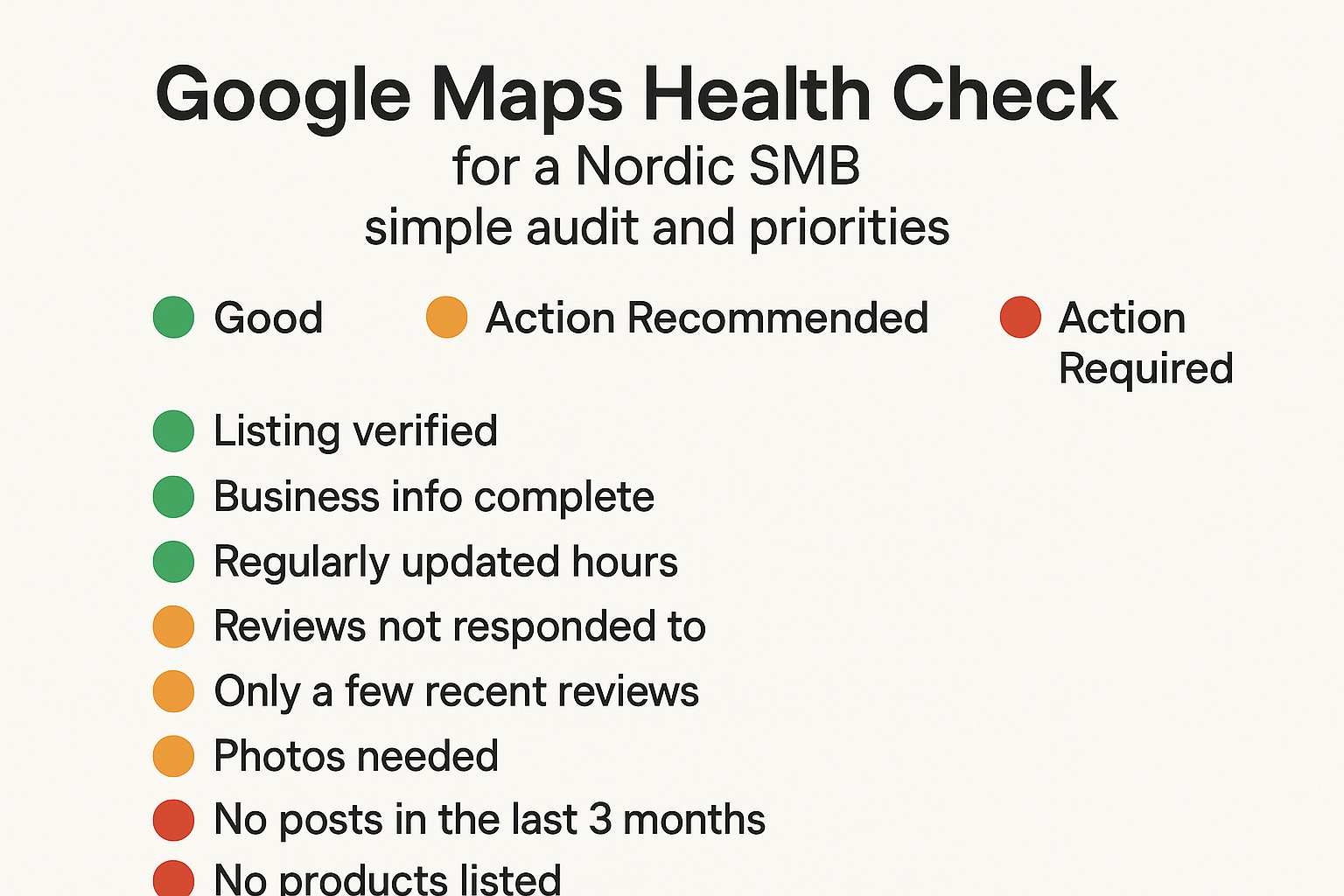
Mini‑checklist
FAQ
Related posts
- GBP Audit Checklist — Full GBP Audit for EU/Nordics
- UTM for GBP Buttons + GA4 Events
- Duplicates & Suspension Risk: Safe Merge/Remove
Get a Free Google Maps Audit (48h)
You’ll get a priority checklist + visibility snapshot. No account access required.
Compliance note
We never incentivize reviews. No gating. Avoid keyword stuffing in business names or posts.
We don’t request full account access; links/screens are enough. Manager access is optional.